
Canadian students, here’s the deal: Spotify student discount cuts your Premium subscription cost in half to just $6.39 per month, and you can verify your eligibility through a quick SheerID check during signup. If you’re enrolled in an accredited Canadian post-secondary institution, you qualify for the plan that includes ad-free listening, offline downloads, and unlimited skips, plus you get your first month free to test it out.
I remember standing in a packed crowd at Osheaga last summer, my phone barely hanging on to 10% battery. My friend beside me was streaming their festival playlist over spotty WiFi while I had my entire weekend lineup downloaded and ready to go. That’s the difference Premium Student makes when you’re bouncing between stages and your data plan is crying for mercy.
The verification process takes about two minutes if you have your student email handy or can snap a photo of your current enrollment documentation. Spotify partnered with SheerID specifically to make this smooth for students across Canada, from UBC to Memorial University. You’re not jumping through hoops or waiting days for approval.
What makes this plan essential for the festival circuit is the offline mode. Download your pre-show hype tracks, your between-set chill mixes, and your driving-home-at-3am playlist before you leave home. No buffering, no surprise roaming charges, no panic when you realize the artist you’re about to see has an album you’ve never heard.
Who Qualifies for Spotify Premium Student in Canada
Let’s get straight to it: not every student in Canada can score the Premium Student discount, but if you tick the right boxes, you’re in. The deal requires a few specific qualifications, and honestly, understanding what Spotify means by “accredited higher education institution” saves you from starting the whole verification process only to get rejected halfway through.
Here’s what you actually need to qualify:
- You must be 18 years of age or older
- You must be currently enrolled at an accredited college or university in Canada
- Your school must be recognized by Spotify’s verification partner, SheerID
- You cannot be a resident of Quebec (provincial regulations exclude the offer there)
- If you want the 1-month free trial, you can’t have tried Premium before
The “accredited higher education institution” requirement trips people up more than you’d think. In practical terms, this means universities and colleges that grant degrees or diplomas and are recognized by provincial education authorities. Community colleges, technical institutes offering diplomas, and major universities all count. What doesn’t qualify? High schools, private career training programs that aren’t degree-granting, and most certificate-only courses. If your school has a .edu or .ca email domain and appears in SheerID’s database during verification, you’re almost certainly good to go.
I’ve watched friends scramble through verification between festival weekends, trying to lock in the discount before hitting the road to Osheaga or Escapade. The nice part is that once you’re verified, you have the whole year to build those offline playlists without worrying about cell service dying somewhere between Toronto and Montreal. Just keep in mind you’ll need to reverify your student status every 12 months, so set a reminder before your subscription anniversary or you’ll automatically jump to the $13.99/month Individual plan without warning.
What You’ll Need Before You Start
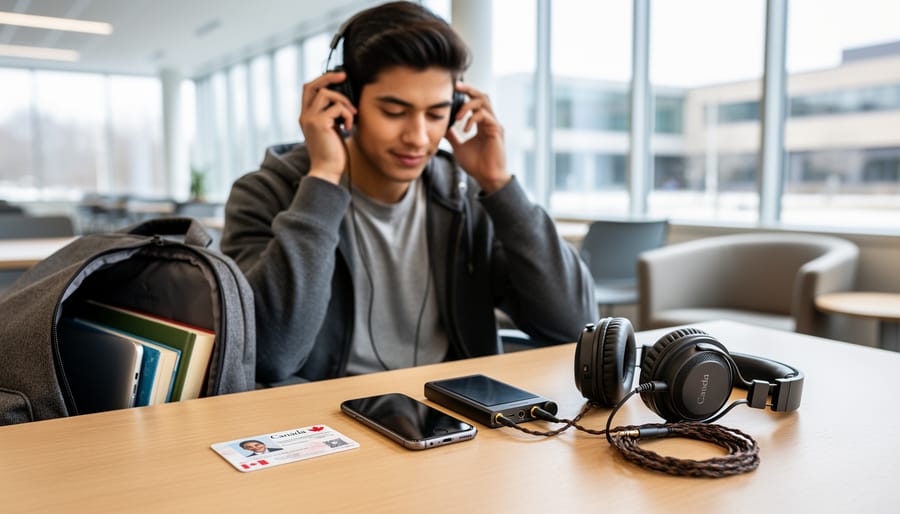
Before you dive into the sign-up process for Spotify Premium Student, spend five minutes gathering everything you’ll need. This prep work will save you from stalling halfway through when SheerID asks for verification documents you don’t have handy.
First, make sure you have access to your student email address. Most Canadian universities issue students an .edu or institution-specific email, and this is often the fastest way to verify enrollment. If your school email isn’t working or you rarely check it, now’s the time to reset that password and confirm you can log in.
You’ll also want your school portal credentials ready. Depending on your institution, SheerID might ask you to log into your university’s student portal directly to confirm enrollment status. Having your username and password memorized or saved in your password manager means you won’t have to dig through old emails or call your registrar’s office mid-verification.
Finally, keep proof of enrollment accessible. While many schools in SheerID’s database verify automatically, some require you to upload documentation like a tuition receipt, official enrollment letter, or current class schedule. The exact requirements vary by institution, so having a recent document saved on your phone or laptop saves scrambling later.
Once you’ve got these basics lined up, the actual sign-up takes about ten minutes. That’s less time than it takes to argue with your friends about which Canadian music festivals to hit this summer, and you’ll have offline playlists ready for the road trip.
Step-by-Step: How to Sign Up for Spotify Premium Student
Step 1: Confirm Your Student Status
Before you dive into the sign-up process, run through this quick checklist to make sure you’re actually eligible. First, your age: you need to be 18 or older. If you’re a younger first-year student, you’ll have to wait until your birthday. Second, enrollment: you must be currently enrolled at an accredited college or university in Canada. Community colleges, trade schools, and online-only programs often don’t count, so double-check that your institution meets Spotify’s “higher education” standard. Third, location: if you live in Quebec, this discount isn’t available to you due to provincial regulations. Finally, make sure you haven’t already maxed out the four-year eligibility period from a previous Premium Student subscription. If all four boxes check out, you’re ready to move forward with the SheerID verification.
Step 2: Complete the SheerID Verification Form
Once you’ve confirmed your eligibility, head to Spotify’s student discount landing page and look for the button to verify your status. This kicks off the SheerID process. Click through, and you’ll land on a form asking for your country (select Canada), your school’s name, and a few personal details like your full name and date of birth. The form also asks for your student email address if your school is in SheerID’s database, this is the quickest route to approval, so use your .edu or official school email if you have one.
Double-check everything before you hit submit. A typo in your school’s name or birthdate can slow things down or trigger a rejection. The whole form takes about two minutes to fill out, and it’s pretty straightforward, no essay questions about your major or why you deserve cheaper Spotify. Just accurate info, then you’re on to the next step.
Step 3: Provide Proof of Enrollment
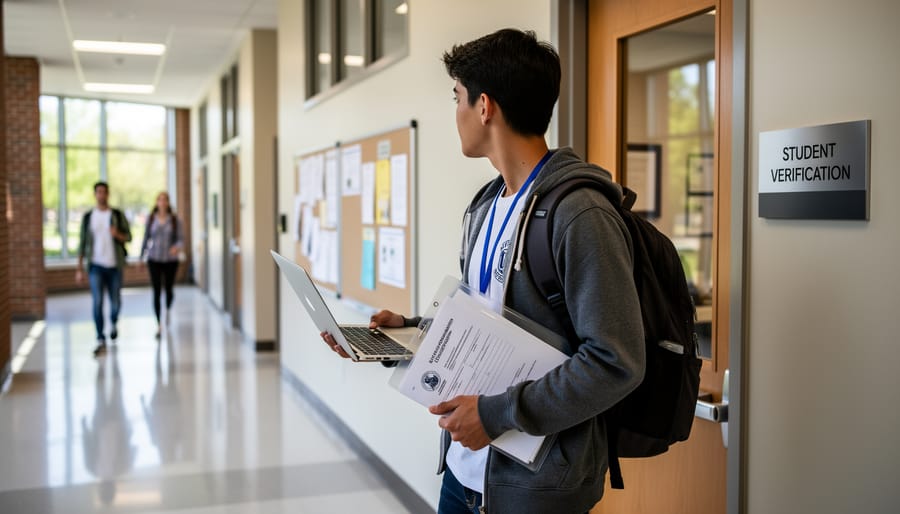
After you’ve filled out the SheerID form with your school details, you’ll hit the verification step. What happens next depends on whether your institution is in SheerID’s automatic verification database.
If your college or university is connected to SheerID’s system, you’ll get prompted to log in through your school’s portal. This works like signing into your school email or student account, SheerID redirects you to your institution’s login page, you enter your usual credentials, and the system confirms you’re actively enrolled. The whole thing takes maybe 30 seconds if your campus Wi-Fi is cooperating.
If your school isn’t automatically recognized, SheerID will ask you to upload proof instead. This typically means a photo or scan of something official that shows your name, your school’s name, and current enrollment dates. Think tuition receipt, current class schedule, or an official enrollment letter. Your student ID alone usually won’t cut it because it doesn’t prove you’re enrolled this term.
The upload process is straightforward: click the prompt, select your file, and submit. SheerID reviews documentation manually, so expect this route to take a bit longer than instant verification, usually within a day or two.
Step 4: Wait for Email Confirmation
After you submit your proof of enrollment, SheerID kicks off the verification process. Most students receive their confirmation email within a few minutes, though it can occasionally take up to 48 hours depending on how quickly your school’s system responds. Check your inbox (and spam folder) for a message from SheerID with the subject line confirming your student status.
If verification fails, the email will explain why, usually it’s a mismatch between the name on your enrollment records and what you entered, or your school requires manual document review. Don’t panic. You can resubmit through the link in the email, double-checking that your name matches your official school records exactly. If you’re still stuck after a second attempt, contact SheerID’s support directly through their help portal. I’ve had friends wait three days during peak back-to-school season, so if you’re trying to lock this in before a festival road trip, start the process early rather than assuming it’ll be instant.
Step 5: Activate Your Premium Student Subscription
Once SheerID shoots you that approval email, head back to Spotify and log into your account. You’ll see a prompt to claim your Premium Student discount, if you’ve never had Premium before, Spotify will offer you a 1-month free trial to test everything out. Take it. Load up a few playlists for your next festival road trip, download albums for offline listening, and get comfortable with the ad-free experience before your first payment hits.
After the trial (or immediately, if you’ve had Premium in the past), you’ll start paying $6.39/month. Spotify will walk you through payment setup, credit card, debit, or PayPal all work. Double-check that the price shows $6.39, not the $13.99 Individual rate, before you confirm. Once that’s done, you’re in. Your Premium Student subscription is live, and you’ve got a full year before you need to reverify.

Step 6: Set Up Annual Reverification Reminders
Here’s your problem: Spotify doesn’t send a heads-up when your 12 months are almost up. You’ll need to reverify your student status every year to keep that $6.39/month rate, and if you miss the window, you’re automatically bumped to the $13.99 Individual plan. Nobody wants that surprise on their credit card statement, especially during festival season when you’re already budgeting for tickets and camping gear.
Set a calendar reminder for 11 months from now with a note to log into Spotify and start the reverification process. The whole thing takes about five minutes through the same SheerID system you just used, but you need to be proactive about it. I usually set two reminders, one at 11 months and another at 11.5 months, just in case the first one gets buried under midterms or festival prep. You can stay on Premium Student for up to four years total, so keep track of how many annual renewals you’ve completed. Once you hit that four-year cap or you’re no longer enrolled, the switch to Individual pricing happens automatically.
What Happens After You’re Verified
The moment SheerID approves your verification, you’re in. Your Spotify account switches to Premium Student immediately, and you get full access to everything that makes festival season smoother: unlimited skips, offline downloads for those long drives to venues, and zero ads interrupting your pre-show hype playlists. You can download entire albums or curated sets to your phone before you hit the road, which is clutch when you’re driving through dead zones between cities or camping at a festival site with spotty service. The audio quality jumps to high-fidelity streaming, and you can listen across all your devices without restrictions.
Here’s the timeline that matters: you can keep this $6.39/month rate for up to four years total, as long as you reverify your student status every 12 months through SheerID. That four-year window gives you plenty of time to build epic festival playlists, discover new artists before they blow up on the main stage, and maybe even commemorate your favourite shows with festival tattoo ideas you’ve been collecting along the way.
The same thing happens if you graduate or leave school before the four years are up. Spotify doesn’t pause your subscription or give you a heads-up call. Your payment method just gets charged the full Individual rate on your next billing cycle. That’s why setting those annual reverification reminders is non-negotiable if you want to keep the discount running as long as possible.
Troubleshooting Common Issues
I’ve helped more than a few friends get through SheerID verification, and I can tell you the process doesn’t always work smoothly on the first try. Here’s what to do when things go sideways.
If your school isn’t showing up in the SheerID database, you’ll need to manually upload documentation. Before you do, check that you’re searching for the right name, sometimes schools are listed by their official legal name rather than what students call them. For example, if you’re attending a campus affiliated with a larger university system, try searching for the parent institution. When manual upload is your only option, grab your current term’s enrollment letter or a screenshot of your student portal showing your active status and upload a clear, readable copy.
Documentation gets rejected most often because the dates are wrong. Your proof needs to show you’re enrolled *right now*, not last semester. A transcript from three months ago won’t cut it. SheerID wants confirmation that you’re an active student today, so pull something fresh from your school portal, class schedule, tuition receipt, or an enrollment verification letter dated within the last few weeks.
The Quebec situation trips people up constantly. If you live in Quebec, the offer flat-out isn’t available, even if you’re enrolled at an accredited school. There’s no workaround. Students heading to festivals like Heavy Montreal from out-of-province can qualify as long as their primary address isn’t in Quebec.
When all else fails, contact Spotify support directly through the Help Center chat. They can flag issues with your SheerID submission and sometimes manually push things through. Keep your documentation ready when you reach out.
Frequently Asked Questions
Can international students studying in Canada get Spotify Premium Student?
Yes, as long as you’re enrolled at an accredited Canadian college or university and you’re 18 or older, international students qualify. SheerID verifies your enrollment status through your school, not your citizenship, so your student visa and valid enrollment are what matter.
What happens to my Premium Student subscription during summer break?
Your subscription continues uninterrupted during summer and other breaks as long as you’re still enrolled and your 12-month verification period hasn’t expired. You’ll need to reverify your student status each year to keep the $6.39/month rate, but breaks between semesters don’t affect your access.
Can I pause my Premium Student subscription and restart it later?
Spotify doesn’t offer a pause feature, but you can cancel anytime and sign up again later as long as you’re still eligible and within the 4-year maximum period. Keep in mind you won’t get another free trial if you’ve already used it, and you’ll need to go through SheerID verification again.
Will I get a free trial if I’ve had Spotify Premium before?
The 1-month free trial is only available to students who haven’t tried any Premium plan before. If you’ve previously had Premium Individual, Family, or Duo, you’ll start paying $6.39/month right away when you sign up for Premium Student.
How will I know when I need to reverify my student status?
Spotify will email you before your 12-month verification period expires, usually a few weeks in advance. Set a calendar reminder for 11 months after your initial sign-up so you can reverify before the deadline and avoid getting automatically switched to the $13.99/month Individual plan.
These questions come up constantly in student group chats right before festival season, when everyone’s trying to lock down their Premium access for road trip playlists. The international student question is especially relevant in Canadian cities like Toronto, Montreal, and Vancouver where huge portions of the student population come from abroad. I’ve watched friends stress about losing access during summer break when they’re hitting every festival they can afford, so it’s worth knowing your subscription rolls through those months without issue.
The reverification timing catches people off guard more than anything else. You’ll be cruising along with your discounted Premium, building playlists for next year’s festival circuit, and then suddenly you’re paying double because you missed the reverification window. The email reminder helps, but your own calendar alert a month before your anniversary date is your best insurance against an unexpected price jump right when you’re budgeting for tickets.
At $6.39 a month, Spotify Premium Student is one of the best deals going for Canadian festival fans who need their music everywhere. You’re saving over 50% compared to the regular plan, which adds up fast, that’s basically two or three extra festival tickets a year just from what you’re not spending on streaming. Offline downloads mean you can queue up full sets for the drive to festivals, ad-free listening keeps the vibe uninterrupted, and you’ve got four years to take advantage of it while you’re in school.
Just don’t forget about reverification. Set yourself a calendar reminder for 12 months from now so you’re not caught off guard when SheerID asks you to prove you’re still enrolled. The whole process takes a few minutes, and it beats getting auto-bumped to the $13.99 Individual plan because you missed the deadline.