
You can activate your Spotify free trial right now and get one month of Premium at no cost, but you need to have never tried Premium before and plan your timing carefully because you’ll be charged $13.99 monthly once the trial ends. The process takes about three minutes: create or log into your Spotify account, select Premium Individual (or Premium Student if you’re enrolled at an accredited institution for $6.39 monthly after trial), enter payment details, and you’re in. Here’s the thing most people miss: the trial auto-renews unless you cancel before day 30, so set a reminder immediately.
For festival season, this timing matters more than you’d think. Premium gives you offline downloads, which means no spotty cell service killing your curated playlists when you’re deep in the crowd. If you’ve got a festival coming up in the next few weeks, count backwards from that date to maximize your trial. You want Premium active when you’re on-site, not three weeks before when you’re just daydreaming about lineups.
Students get a slightly better deal at $6.39 per month after the free month, though Quebec students are out of luck since Premium Student isn’t available there. Whether you’re road-tripping to Heavy Montreal or camping out at a multi-day event, having your music library downloaded and ready beats burning through data or dealing with festival Wi-Fi that barely loads a text message.
The rest of this guide walks through exactly what you need, how to avoid surprise charges, and the step-by-step activation and cancellation process so you stay in control.
What You Need Before Starting Your Trial
Before you start your Spotify free trial, make sure you’ve got the basics covered. The good news? Most people qualify. You’ll need a valid email address that isn’t already linked to a Spotify Premium account, and a payment method even though you won’t be charged during the trial. Spotify accepts major credit cards, debit cards, and PayPal.
Here’s what you need ready:
- A valid email address not previously used for Premium
- Credit card, debit card, or PayPal account for verification
- No previous Premium trial history on your account
- Student verification documents if choosing the Student plan
- Residence outside Quebec for Student plan eligibility
The big catch is eligibility. This offer only works if you haven’t tried Premium before. Spotify tracks this by account, so creating a new email won’t help if you’ve already used a trial. You get one shot at this, which is why timing it right for festival season matters.
Choosing between Premium Individual and Premium Student comes down to your status. Premium Individual is straightforward: anyone qualifies, and after your free month you’ll pay $13.99 monthly if you don’t cancel. Premium Student requires proof of enrollment at an accredited higher education institution. You’ll need to verify through a third-party service during signup, usually with a student ID or enrollment documentation. The payoff is worth the extra step: after your free month, Premium Student only costs $6.39 monthly.
One important regional restriction hits Quebec residents. Premium Student isn’t available if you live in Quebec, so students there need to use the Premium Individual trial instead. Everyone else across Canada can access either plan based on their student status.
Important Heads-Up: Trial Auto-Renewal and Cancellation
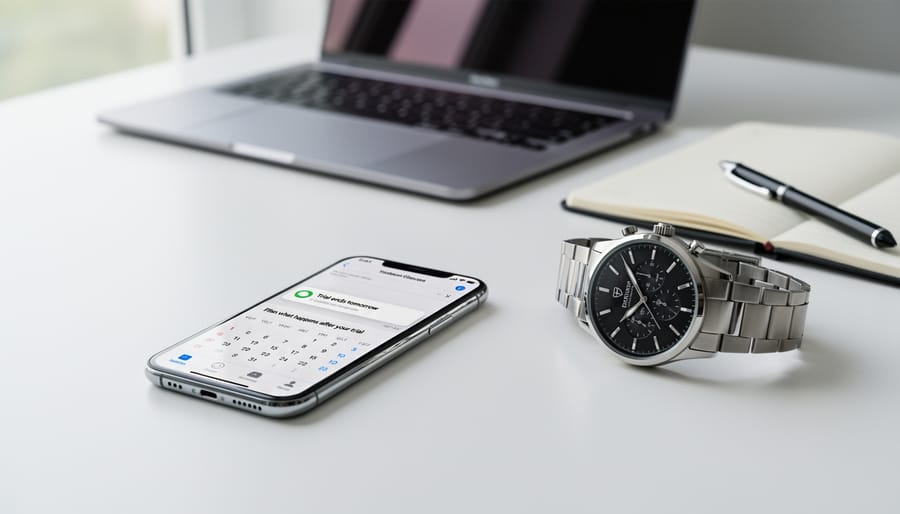
Here’s the truth about Spotify’s trial that catches a lot of people off guard: it automatically converts to a paid subscription the second your 30 days are up. No warning email, no grace period, just a charge to whatever payment method you entered when you signed up.
The minute your free month expires, Spotify bills you for the next month at full price. That’s $13.99 if you’re on Premium Individual, or $6.39 if you qualified for Premium Student outside Quebec. There’s no “Are you sure you want to continue?” prompt. They’ve already got your credit card or PayPal details from trial signup, and they’re using them.
Set a reminder on your phone right now, seriously, do it before you keep reading. Pick day 28 of your trial. That gives you a two-day buffer to cancel if you don’t want to pay. Most people who complain about unexpected charges simply forgot the trial had an end date.
If you’re planning to ride the trial through festival season and bail, you need that cancellation reminder. Miss it by even a day, and you’re paying for July whether you intended to or not. The good news? Cancelling is straightforward once you remember to do it, and your Premium access continues through the full 30 days even after you cancel, you just won’t be charged when the trial wraps.
Step-by-Step: Activating Your Spotify Free Trial
Ready to lock in your free month of Premium? Here’s exactly how to activate your Spotify trial from your phone, whether you’re going with the Individual plan or claiming that student discount before festival season hits.
First, decide which plan makes sense for you. Premium Individual gives you the full 30 days at $0, then $13.99/month after. If you’re enrolled at an accredited higher education institution, and you’re not in Quebec, the Spotify student discount drops that to $6.39/month after your trial. Both plans unlock the same Premium features: offline downloads, ad-free listening, unlimited skips, and higher audio quality. Students just need their documentation ready to verify enrollment.
Once you’ve picked your plan, the activation process is straightforward:
- Open the Spotify app or head to and tap “Get Premium” or “Try Free for 1 Month”
- Select either Premium Individual or Premium Student from the plan options
- Enter your payment details, you need a valid credit card, debit card, or PayPal account on file even though you won’t be charged during the trial
- Review the trial terms, confirm your email address, and tap “Start My Spotify Premium”
- Check that your account now shows “Premium” at the top and that offline download icons appear next to songs and playlists
Students will get an extra step: you’ll be redirected to SheerID to verify your enrollment status. Have your student email or documentation handy, it usually takes under a minute to confirm.
Your trial starts the moment you hit that activation button, so don’t tap it until you’re ready to use those 30 days. The app will confirm your Premium status immediately, and you can start downloading playlists right away. Check your account page to see your trial end date, that’s the day you’ll be charged if you don’t cancel.
One quick check: tap into any playlist and look for the download arrow icon. If it’s there and working, you’re all set. Premium is live, and your festival soundtrack is ready to go offline.
Timing Your Trial for Maximum Festival Value
The 30-day trial window goes fast when you’re juggling multiple festival weekends, so strategic timing makes all the difference. Think backwards from your first festival date: count 30 days back and mark that as your activation day. This puts Premium coverage exactly where you need it, without wasting trial days sitting on your couch.
If you’re planning to hit several Canadian music festivals in one summer, target the densest cluster of events. Most festivals bunch up between late June and early September, so starting your trial in mid-June typically captures peak season. You’ll get Premium features through the busiest stretch when offline downloads and ad-free listening matter most.
For multi-festival warriors, map out your calendar. Two festivals three weeks apart? Perfect for one trial. Four festivals spread across ten weeks? You’ll need to pick which ones get Premium treatment or plan a paid month in the middle. The trial works best when your festival schedule is compact.
Consider travel time too. Activate a few days before your first festival so you can download playlists at home on solid Wi-Fi, not scrambling in a campground with one bar of signal. That buffer lets you load up full artist catalogs, build offline queues, and test everything before you’re standing in a field.
One timing trap: activating too early because you’re excited. Starting your trial in April for an August festival wastes the whole window. Set a phone reminder for your target activation date, then wait. Those 30 days are more valuable when they align with actual festival grounds, not just festival daydreams.
Making the Most of Premium During Your Trial
Your 30-day trial unlocks features built for festival season. Offline downloads are the game-changer: before you leave for the festival grounds, download every playlist you’ve curated. This keeps your music accessible when cell towers get overloaded by thousands of fans streaming simultaneously. Wi-Fi at outdoor venues is notoriously unreliable, so having your sets saved locally means uninterrupted listening from the campsite to the main stage.
Ad-free listening matters more than you’d think when you’re bouncing between stages. Nothing disrupts the energy like a 30-second ad when you’re trying to keep the mood going. Unlimited skips let you adjust playlists on the fly without hitting that frustrating skip limit, which is crucial when your group’s musical tastes clash or the next act isn’t quite hitting. Higher audio quality (320 kbps versus the free tier’s 160 kbps) makes a noticeable difference through decent headphones, especially when you’re discovering new artists who might become your next obsession.
Check out a festival guide to plan which playlists match your event lineup, then download them at least 24 hours before you head out. This gives you time to verify everything saved properly and add any last-minute tracks.
How to Cancel Before You’re Charged
Cancelling your Spotify trial before the billing date is straightforward, but you need to take action, it won’t cancel itself. Mark your calendar for at least a day before your trial ends (so day 29 of your 30-day window) to give yourself buffer time. If you skip this step, you’ll be charged $13.99 for Premium Individual or $6.39 for Premium Student on day 31.
Here’s exactly how to cancel:
- Log into your Spotify account on a web browser (desktop or mobile browser, not the app)
- Navigate to your Account page, look for your profile icon or username, then select Account from the dropdown
- Find and click “Manage your plan” or “Change plan” in the subscription section
- Select “Cancel subscription” or “Cancel Premium”, the exact wording varies slightly
- Follow the prompts to confirm your cancellation; Spotify may offer you a discount to stay, but if you’re done, confirm the cancellation
After you cancel, Spotify will show a confirmation message and send an email to verify. Check both to be certain. Your Premium features will continue working until the trial period officially ends, you’re not cut off immediately. Once the 30 days are up, your account reverts to Spotify Free, which means ads return, offline downloads stop working, and you’re back to shuffle-only on mobile. Your playlists and saved music stay in your library, but you’ll need Premium again to access offline tracks.
Common Questions About Spotify Free Trial
Can I use the Spotify free trial more than once?
No. The Premium Individual and Premium Student trials are only available if you haven’t tried Premium before, so you get one shot at the 30-day free period per account.
What happens if I forget to cancel before the trial ends?
You’ll automatically be charged the monthly subscription price, $13.99 for Premium Individual or $6.39 for Premium Student. Spotify doesn’t send reminder emails before charging, so set a calendar alert for a day or two before your trial expires.
Do I keep my playlists and saved music after the trial?
Yes, all your playlists, saved songs, and followed artists stay in your account. You just lose Premium features like offline listening and ad-free playback when you revert to the free tier.
Can students outside Quebec get the Premium Student discount?
Students at accredited higher education institutions can access the $6.39/month Premium Student plan after their trial ends, except in Quebec where the student discount isn’t available. You’ll need to verify your enrollment through SheerID when signing up.
Will my downloaded music still work offline after the trial ends?
No. Offline downloads are a Premium-only feature, so any playlists you downloaded during your trial will become unplayable once you’re back on the free plan. You’ll need an active Premium subscription to keep using offline mode.
The trial restriction catches a lot of people off guard, especially those who’ve experimented with Premium in the past. If you’ve ever activated a trial years ago and forgot about it, that counts, Spotify’s system flags your account as ineligible even if you cancelled immediately. Creating a new account won’t help either, since payment methods are tracked across accounts.
If you’re a student, make sure you have your enrollment documentation ready before starting the trial. The verification process through SheerID asks for your school email, student ID, or acceptance letter. International students at Canadian institutions qualify, but the Quebec restriction applies regardless of where your school is located, it’s based on your billing address, not your campus.